
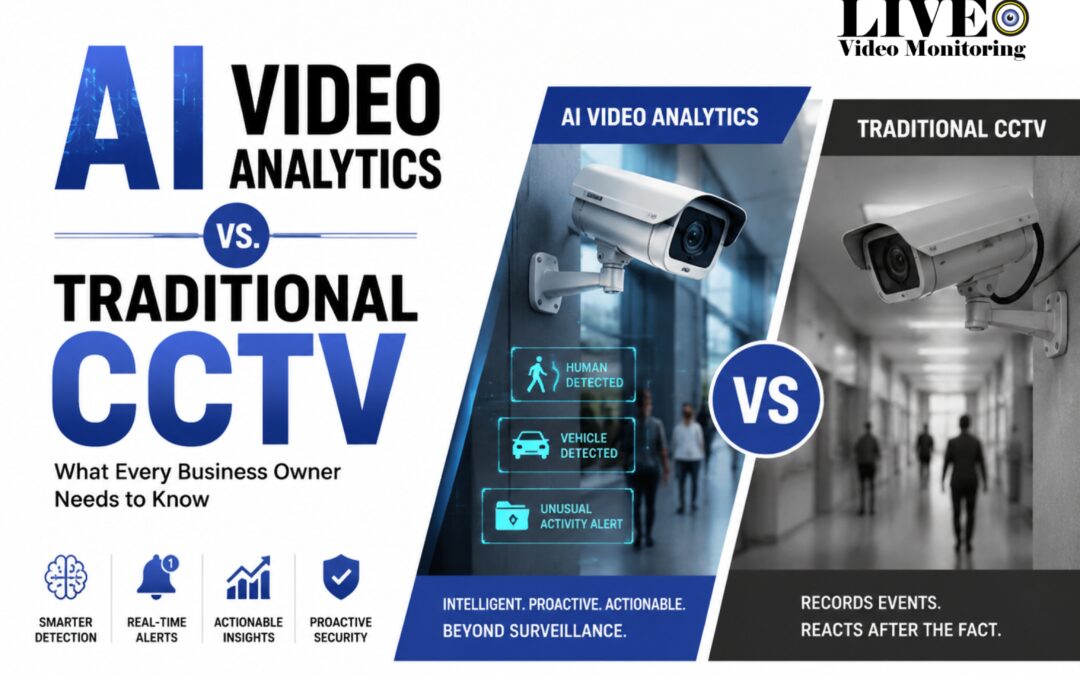
Most business owners across New Brunswick already have security cameras. From Saint John to Fredericton to Moncton, cameras are everywhere. Yet theft, vandalism, and break-ins still happen.
If you've ever wondered why cameras alone don't stop incidents, you're not wrong to question it. The answer comes down to one fact: traditional CCTV records events. It doesn't prevent them.
That's where AI video analytics CCTV systems come in. This is the smart CCTV Canada businesses are increasingly switching to, built on remote video monitoring and real-time security monitoring rather than passive recording. Unlike older setups that simply capture footage for later review, AI video analytics CCTV analyses video in real time, flags suspicious behaviour as it happens, and — when paired with trained human monitoring agents — allows for action before a situation becomes a loss.
This guide breaks down the real differences between traditional CCTV and AI video analytics CCTV, explains how the technology works in plain language, and helps you decide whether upgrading makes sense for your business. Learn more about proactive remote video monitoring solutions from Live Eye Video Monitoring.
Quick Summary: AI Video Analytics vs. Traditional CCTV
Old CCTV records events for later review. AI video analytics CCTV watches live video, spots odd behaviour, filters out false alarms, and sends alerts right away. Add a trained human agent to verify each alert, and you get a system that helps you act fast - before a small issue turns into a real loss.
Why Trust Live Eye?
✔ Local New Brunswick monitoring
✔ Human-verified alerts, not automated-only
✔ Commercial-only monitoring — no split focus with residential accounts
✔ Works with your existing cameras, not just new installs
✔ Built around Canadian privacy law (PIPEDA)
✔ Experience across retail, industrial, and logistics sites
5 Signs Your Business Has Outgrown Traditional CCTV
- You only check footage after something has already happened.
- You get frequent false alarms from weather, animals, or passing cars.
- You run more than one site and can't watch every feed yourself.
- You manage large outdoor areas — lots, yards, fences — that are hard to watch by hand.
- You need a faster response than "review it in the morning."
If two or more of these sound like you, it's worth asking whether AI monitoring fits your business better than a plain camera setup.
What Is AI Video Analytics?
AI video analytics is software that scans live or recorded video in real time. It spots threats, odd behaviour, or security events on its own.
Can AI really "see" and understand footage the way a person does? Yes. Here's how. AI systems use a method called computer vision to read what's in each frame. They're trained through deep learning — a process where a system learns from millions of past examples, much like a person learns by watching things happen over and over. This training lets the system tell a person apart from a car, an animal, or a moving shadow. It can also spot patterns that look wrong, like someone lingering near a side door late at night.
This is the base skill behind smart video surveillance and video verification. Before any alert reaches a human, the system checks that the event looks real.
Motion Detection vs. AI Detection
It helps to see how this differs from old-style motion detection:
- Motion detection reacts to any change in pixels. A branch in the wind. A cat crossing the yard. Headlights sweeping a lot at night. All of these can set off an alert.
- AI detection works differently. It uses object detection to name what it sees, and behaviour recognition to judge what that object is doing. It can tell a person climbing a fence apart from a truck backing into a loading bay. It only sends an alert when the activity actually matters.
This is what makes real-time alerts useful. The system isn't just watching. It's reading the scene. People often call this smart or intelligent monitoring, since the cameras grasp context, not just movement.
Real numbers back this up. Industry reports on false-alarm filtering point to big drops when AI is added. Several independent sources cite a 70–90% cut in false alarms compared with motion-only systems. Old motion detection often flags false alarms 80% of the time or more. A well-tuned AI system can bring that under 5%. That gap is a big reason businesses switch. Ask your provider for their own tested false-alarm rate before you sign on.
Real-world example: Picture a Fredericton auto dealership at 2:00 a.m. Someone walks onto the lot. With old CCTV, the camera just records it. Nobody sees it until the next morning. With AI video analytics CCTV, the system spots the intruder right away. A remote monitoring centre checks the clip within seconds. An agent steps in before any car is touched.
Types of AI Video Analytics
AI analytics isn't just one feature. It's a set of distinct types of video analytics that work as a team. Together they form what's often called a video management system (VMS) — the software layer that sorts, reads, and acts on what each camera sees. Here are the main types:
Behaviour Detection
The system learns to spot behaviours that often come before an incident, such as:
- Loitering near doors or stockrooms
- Attempts to enter a restricted area
- Someone crossing a fence line
This is the base of modern perimeter protection. It flags the moment someone enters a space they shouldn't, instead of waiting for a break-in to be found the next day.
Object Recognition
AI uses object detection to sort what it sees into simple classes: person, vehicle, or animal. It sounds basic. But this one skill is the foundation that cuts false alarms and helps a remote team know what to look at first.
Licence Plate Recognition
If your site has a parking lot, loading dock, or gate, licence plate recognition is a common feature on modern AI cameras. It logs each vehicle that enters or leaves. It flags plates it doesn't know. It can also confirm that only approved vehicles reach a restricted area.
False Alarm Filtering
One of the biggest wins from AI video analytics is cutting out false alerts. Wind, rain, snow, moving shadows, and passing wildlife no longer trip the system. This matters a lot in New Brunswick, where weather and rural wildlife can flood an old system with false triggers.
Anomaly Detection
Beyond fixed rules, AI can also flag activity that just looks out of place. A car parked in an odd spot too long. Movement in a zone that's normally empty at night. This works through event classification - the system tags each alert with what it saw and how sure it is, instead of treating every ping the same way.
Business Intelligence Features
AI video analytics isn't only for security. Many cloud-based systems also give you business data, such as:
- Heat maps that show where customers spend the most time
- Foot-traffic patterns through a store
- Line and queue data to spot checkout slowdowns
Edge AI vs. Cloud AI
This kind of processing can happen in two places:
- Edge AI runs the analysis right on the camera or a nearby device. It reacts fast and needs less internet bandwidth.
- Cloud AI sends footage to a cloud platform for analysis. It's easier to update, easier to manage across many sites, and needs less gear on-site.
Most modern platforms — including the model this guide covers — run on cloud software that sits on top of your current IP cameras. No dedicated on-site box needed. That's a big reason a phased upgrade is realistic, instead of an all-at-once hardware swap. Here's how it stays fast: the system reads each frame and pulls out metadata — the object type, its location, a timestamp, a confidence score — rather than re-scanning raw footage each time. That's what keeps cloud analysis quick, even across dozens of cameras.
A note for rural or low-bandwidth sites. If a yard or lot sits outside town with a weak or spotty connection, this matters more than it sounds. A cloud-only system that depends on a constant live upload can lose detection the moment the connection drops. A well-built edge-and-cloud setup avoids this: the camera or a local box processes and flags activity on-site first, so detection keeps running even during an outage, then syncs footage and metadata to the cloud once the connection returns. Local storage acts as a buffer during a drop, and a cellular backup (4G/5G failover) is a common way providers keep monitoring live if the main internet line goes down. Ask any provider directly how their system behaves during an outage - buffered and synced later, or lost entirely - before you commit a rural site to it.
Where This Shows Up Across Industries
Different businesses use the same core tech in different ways:
- Retail: flags a shopper lingering near high-value shelves after close, or maps foot traffic to spot checkout slowdowns.
- Warehouse: alerts when a forklift enters a walking zone, or flags anyone at a loading dock after hours.
- Parking lots: logs every plate and flags a car idling or parked oddly for too long.
- Healthcare and clinics: flags a side door left open overnight, or entry to a restricted area outside visiting hours.
- Restaurants: watches back-of-house safety and flags after-hours entry to storage or cash areas.
- Schools: flags loitering near doors outside school hours and supports safer visitor checks.
- Construction sites: spots trespassing, gear left out overnight, and fence breaks on open sites.
- Manufacturing plants: flags people in machine zones and watches for safety issues on the floor.
- Hotels: watches lots, side doors, and stairwells for activity that doesn't match normal guest flow.
- Office buildings: flags after-hours entry, tailgating at doors, and packages left in lobbies.
- Apartment buildings: watches shared doors, lots, and common areas for break-ins or damage.
Different fields, same idea: the system tells you what matters, instead of handing you hours of footage to scroll.
Traditional CCTV vs. AI Video Analytics CCTV: A Side-by-Side Comparison
Traditional CCTV vs. AI Video Analytics CCTV: A Side-by-Side Comparison
| Feature | Traditional CCTV | AI Video Analytics CCTV |
|---|---|---|
| Monitoring | Manual | Automated + Human Verified |
| Threat Detection | Reactive | Proactive |
| False Alarms | Higher | Lower |
| Investigation | Manual Review | Smart Search |
| Scalability | Limited | Highly Scalable |
| Business Insights | Minimal | Extensive |
| Response Time | Delayed | Near Real-Time |
Picture a Moncton warehouse with a dozen cameras covering the loading docks and perimeter fence. With traditional CCTV, someone would need to actively watch those feeds or scroll through hours of footage after the fact to catch a problem. With AI video analytics, the system itself flags a person crossing the fence line at 2 a.m. and sends an alert immediately — no manual review required.
Should Your Business Upgrade?
| Business Type | Traditional CCTV | AI Video Analytics |
|---|---|---|
| Small office | Sufficient | Optional |
| Retail store | Limited | Recommended |
| Warehouse | Limited | Strongly Recommended |
| Multi-site business | Weak | Recommended |
| Construction yard | Weak | Recommended |
This holds true across most New Brunswick sectors. A small office with light foot traffic may be fine on plain cameras. A retail store, warehouse, construction yard, or any multi-site firm — including those near the Port of Saint John or spread across several NB warehouses — tends to gain far more from AI-driven monitoring.
The AI + Human Handshake Model
Here's the part most owners get wrong: AI doesn't replace people. It makes people work better.
One question we hear a lot from New Brunswick owners: does AI monitoring mean no one is watching anymore? It's the opposite. AI does the watching, so a trained person can do the deciding.
Here's how the process works, step by step:
- AI spots a possible threat. The system scans live video and flags activity that matches a risk pattern - loitering, a fence breach, entry to a restricted zone.
- A trained agent checks the event. Instead of setting off a full alarm on AI alone, a real person in a monitoring centre reviews the clip. They confirm if it's a real concern.
- A confirmed alert gets escalated. If it's real, the agent can act - send an audio warning, call the business, or alert police - based on what the situation calls for.
Why does this pairing beat either piece alone? You get better accuracy, since AI narrows the list and a person applies judgment. You get fewer false alarms, since a person catches the rare cases AI reads wrong. You get a faster response, since agents jump straight to real events instead of watching empty halls. And you get better calls in the moment — a person can tell a late delivery driver from a trespasser in a way that pure automation can't.
This is the model Live Eye Video Monitoring runs on: AI detection paired with trained agents who watch live feeds and act in real time. It's not about swapping cameras for robots. It's about making sure someone is always paying attention.
Want to pair AI analytics with live human monitoring? See how Live Eye's commercial surveillance monitoring services work in the field.
Here's the plain truth most vendors won't say: most businesses don't need more cameras. They need software that understands what their current cameras already see.
Real-World Benefits for Canadian Businesses
Video analytics for business owners isn't just a security upgrade — it changes how incidents are caught and handled day to day. Here's what that looks like in practice.
Reduced False Alarms
New Brunswick's outdoor environments — heavy snow, wind, wildlife, fog along the coast — are notorious for triggering older motion-based systems. AI filtering cuts down on the noise so that alerts actually mean something.
Faster Incident Response
Because alerts are verified in near real time rather than discovered the next morning, businesses can respond while an incident is still in progress rather than after it's over. Learn more about how false alarms get filtered out and verified in our dedicated false alarm reduction guide.
Lower Security Costs
AI-assisted monitoring, sometimes called remote guarding, can reduce the need for on-site guards and cuts down dramatically on the hours spent manually reviewing footage after something goes wrong.
Improved Loss Prevention
Common scenarios include flagging suspicious behaviour near merchandise before items leave the store — a frequent concern for New Brunswick retail businesses (retail theft), catching unauthorised entry onto a property after hours (trespassing), and identifying vandalism in progress rather than discovering it the next day (property damage).
Easy Multi-Site Monitoring
For businesses managing multiple locations — think retail chains, warehouse networks, or property portfolios across Saint John, Fredericton, and Moncton — AI analytics makes it possible to monitor many sites without needing to multiply staff at the same rate.
Can Businesses Upgrade Existing CCTV Systems?
This is one of the most common questions business owners ask, and it's good news: in many cases, you don't need to start from scratch. Adding video analytics for business use doesn't have to mean replacing every camera you own.
Businesses can often add AI analytics software to compatible IP camera systems without replacing all existing equipment. The key factor is whether your current cameras are IP-based (networked) rather than older analog models — most IP cameras installed in the last several years can support an AI analytics layer through compatible video management systems (VMS), without swapping out hardware.
A simple, phased approach works well for most New Brunswick businesses:
Step 1: Audit existing cameras
Start by identifying which cameras are IP-based and which are still running on older analog technology. An audit should also note camera placement, resolution, and night-vision capability, since AI analytics performs best with clear, well-positioned footage. This step usually takes a single site visit and gives you a clear picture of what can be upgraded immediately versus what may need hardware replacement down the line.
Step 2: Add AI analytics to high-risk zones
Rather than upgrading every camera at once, prioritize the areas with the highest exposure to loss — loading docks, back entrances, perimeter fencing, and any outdoor area with limited natural surveillance. For a warehouse, this might mean starting with the shipping bay. For a retail store, it might mean the stockroom and rear exit. This targeted approach keeps costs manageable while addressing the locations where incidents are most likely to occur.
Step 3: Expand as needs grow
Once the initial rollout proves its value — fewer false alarms, faster response, clearer visibility — extend AI analytics to additional cameras, zones, or locations over time. Many providers offer software-based upgrades, meaning new detection capabilities can sometimes be added without new hardware at all.
This hybrid path lets businesses upgrade their security posture without a disruptive, all-at-once overhaul — something many competitors gloss over when they talk about AI surveillance. It also means the upfront cost of an AI surveillance system can be spread out, rather than treated as a single large expense.
Who Handles Physical Maintenance?
This is the question most guides skip. If a lens fogs over, a mount snaps, or a wire gets cut, who actually comes out to fix it?
Here's the honest answer: it depends on the provider's service model, and it's worth knowing the three common setups before you ask.
- Monitoring-only. The provider runs the software and live monitoring. Physical repairs stay with your own installer or maintenance contact.
- Referral partnership. The provider monitors your system and connects you with a trusted local installer for hardware issues, sometimes with priority scheduling.
- Full-service bundle. The provider handles software, monitoring, and physical upkeep under one contract.
If you're currently relying on inconsistent maintenance support, this is worth asking straight in your consultation: does the plan cover parts and labour for a broken mount or a cut cable, or only remote diagnostics? Get the scope, and who pays for what, in writing before you sign.
Privacy and Compliance Considerations in Canada
Good AI surveillance balances security with privacy. Canadian businesses running any AI system have a few duties to keep in mind.
Under PIPEDA (the Personal Information Protection and Electronic Documents Act), businesses using video surveillance should think about:
- Transparency — let people know they're on camera, usually with clear signs
- Access controls — limit who can view footage and monitoring data
- Data retention — keep footage only as long as you need it, not forever
- Safe data handling — store and manage footage and any personal data with care
If you use licence plate recognition or face-related analytics, check current guidance from the Privacy Commissioner of Canada, since rules around this kind of data keep shifting. None of this needs to be hard: collect only what you need, protect it well, and be upfront about cameras on-site. A solid AI monitoring provider should walk you through how these rules apply to your property.
What Does AI Video Monitoring Actually Cost?
Most guides on this topic say "it's worth it" and stop there, without giving you a single number to plan around. Here's a fair ballpark based on current Canadian industry pricing — treat it as a planning range, not a quote, since your own price depends on camera count, site risk, and how much live human monitoring you need.
- AI-enabled remote monitoring commonly runs $50–$150 per camera, per month.
- A small business running 4–8 cameras typically lands around $200–$1,200 per month total for the monitoring service.
- If you also need new IP cameras or hardware upgrades, that's a separate one-time cost, on top of the monthly service — your camera audit (Step 1 above) will tell you how much of that you actually need.
These figures come from industry-wide reporting, not a quote for your specific site, so use them to sanity-check whatever number you're given rather than as a final answer. The one thing worth insisting on: ask for a rough pricing tier early in your consultation, before you're deep into contract terms. A provider willing to give you a ballpark on the first call, ahead of a full site survey, is a good sign. One that won't discuss numbers until you sign something is not.
IIs AI Video Analytics Worth It for Small Businesses?
Short answer: for most businesses facing real risk, yes — but the payoff builds over time, not on day one.
AI systems often cost more upfront than plain CCTV. Most owners see the value show up through:
- Fewer incidents overall
- Lower losses from theft, vandalism, or break-ins
- Lower ongoing costs than full-time guards
- Better day-to-day insight from the business data features
Think about it this way: not "what does this cost today," but "what does this save over the next two or three years." A small shop with one door might only need a light upgrade. A multi-site logistics firm gains even more, simply because the losses at stake are bigger.
A quick word on free or DIY analytics apps: they can catch basic motion, but that's where they stop. No one checks the alert. No one escalates it. Most weren't built to filter out New Brunswick's weather and wildlife triggers. For a business with real assets at risk, free software just moves the false-alarm problem from your camera to your phone.
Key Takeaways
Before signing, confirm three things: who handles physical repairs, how the system holds up during an internet outage, and a real pricing range for your camera count.
Old CCTV records. AI video analytics reads what's happening and flags it in real time.
AI uses computer vision and deep learning to tell people, cars, and animals apart - not just spot motion.
The best results come from AI plus a human check, not AI alone.
Most businesses can add analytics to cameras they already own.
Value builds over 2–3 years through fewer incidents, lower costs, and better insight - not overnight.
Frequently Asked Questions
What is AI video analytics in security?
AI video analytics is software that scans live or stored video to spot specific behaviours, objects, or threats — like loitering, fence breaches, or unauthorised entry. It lets a security system react to real events as they happen, instead of just storing footage for later.
What is the difference between AI CCTV and traditional CCTV?
Old CCTV only records footage for someone to check later. AI CCTV reads video as it happens, using computer vision to spot people, vehicles, and odd behaviour, and sends an alert before a loss occurs.
Can AI video analytics work with existing cameras?
In most cases, yes. If your cameras are IP-based, not older analog gear, AI software can usually run on top of them through a compatible video management system. No hardware swap needed.
How accurate is AI video analytics?
Accuracy depends on your camera setup and configuration. Industry reports show AI systems cutting false alarms by 70–90% versus plain motion detection, with well-tuned systems reaching under 5% false alarms.
Can AI detect suspicious behaviour?
Yes. Past basic object detection, AI can flag behaviour patterns — loitering near a door, an attempt to enter a restricted zone, or a car parked oddly for too long.
Does AI video analytics eliminate the need for security guards?
No. AI narrows down what needs a look, but a trained agent checks each flagged event before anyone acts. AI makes people better at their job. It doesn't replace them.
Is AI video surveillance expensive?
It often costs more upfront than plain CCTV. But most of the savings show up over time — fewer incidents, lower guard costs, and less time spent scrolling through footage.
Is AI surveillance legal and privacy-compliant in Canada?
Yes, as long as your business follows PIPEDA — clear signage, limited access to footage, fair retention limits, and secure storage.
Can AI monitor CCTV in real time?
Yes. That's the core difference from old CCTV. AI reads live feeds as they come in, instead of just storing footage for later review.
What's the difference between motion detection and AI detection?
Motion detection reacts to any pixel change — wind, shadows, headlights. AI detection figures out what caused the change and what it's doing, so it only alerts on activity that actually matters.
Does AI store facial recognition data?
Standard AI video analytics for business (object detection, behaviour tracking, licence plate reading) doesn't need facial recognition. If a provider offers face-matching features, check their data practices against PIPEDA before you turn that on.
Is cloud-based AI video analytics secure?
A solid cloud AI provider encrypts footage both in transit and at rest, and limits access through user permissions. Ask any provider directly about their encryption, retention, and access rules before you sign on.
How much does AI monitoring cost?
Cost depends on your camera count, coverage area, and whether live human monitoring is included. Most providers price per camera or per site — ask for a quote based on your own layout and risk areas.
Does the provider handle physical camera maintenance, or only the software and monitoring?
It depends on the service model. Some providers bundle physical repairs — a broken mount, a cut cable, a fogged lens — into the contract. Others monitor only and refer you to a local installer for hardware issues. Ask this directly on your consultation call, and get the scope and who pays for what in writing.
Will AI video analytics still work if my internet connection is unreliable?
It depends on the system design. A well-built setup runs detection locally on the camera or a nearby device, so it keeps working through a dropped connection, then syncs footage to the cloud once the connection returns. Ask any provider directly how their system behaves during an outage before relying on it for a rural or low-bandwidth site.
What's a realistic monthly cost for AI video monitoring?
Industry pricing for AI-enabled remote monitoring commonly runs $50–$150 per camera per month, with a small business on 4–8 cameras typically paying $200–$1,200 per month total. Treat that as a planning range and ask for a specific quote based on your own camera count and site risk.
The Bottom Line
Old CCTV records. AI video analytics reads what's happening. Human monitoring checks it. Put these three together, and you get a system that's truly proactive — one that catches a problem while it's happening, not one that just explains it after the fact.
Cameras alone were never built to stop a problem. They were built to document it. For New Brunswick owners weighing a move to smart CCTV, that's the whole point — and it's why 2026 is the right time to act.
See How AI-Powered Monitoring Can Protect Your Business
Whether you run a retail store, warehouse, plant, or a business with several sites, AI-powered monitoring can help you catch threats faster and cut risk before it turns into a costly loss. Book a free consultation with Live Eye Video Monitoring today to explore a plan built for your business.

Daniel McAllister is a Canadian security specialist with extensive experience in CCTV surveillance, remote video monitoring, and property protection systems. As part of the Live Eye Video Monitoring team, he focuses on proactive threat detection, real-time incident response, and helping businesses across Canada improve their security infrastructure. His insights are based on hands-on experience with live monitoring operations and evolving security technologies.